Business card dimensions might feel like a small detail when you’re designing a card, but they shape everything from how comfortably your information fits to whether someone can easily slip your card into their wallet.
In the US, the standard business card size is 3.5 x 2 inches (88.9 x 50.8 mm), or 1050 x 600 pixels at 300 DPI. With bleed included, a standard VistaPrint artwork file should measure 3.61 x 2.11 inches (91.7 x 53.6 mm), or 1083 x 633 pixels.
Whether you’re handing out cards at an event, leaving them beside your register or adding them to customer orders, the right setup will help your design look professional and keep important details front-and-center. In this guide, we’ll cover the measurements and practical decisions you need to create a business card that works for your business.
- Standard US and Canadian business cards measure 3.5 x 2 inches, while common sizes vary in other regions.
- A standard VistaPrint card has a 3.5 x 2-inch trim size, a 3.61 x 2.11-inch full-bleed size and a 3.36 x 1.86-inch safe printing area.
- Set your raster artwork to 300 DPI and check the printer’s template before adding bleed or exporting your final file.
- Keep printed QR codes at least 0.8 x 0.8 inches (20 x 20 mm), with high contrast and clear space around every side.

Standard business card sizes and shapes
Typical business card dimensions are often the right choice for businesses looking to build brand consistency and quick recognition among existing and potential clients. Standard business cards are 3.5″x 2″ – this is roughly the same size as credit cards, appointment cards and licenses, which are all designed to fit nicely into a wallet or pocket. However, if you want to stand out and make an impression, differently shaped business cards are an option, as long as they suit your brand’s personality.
Find out more about how to create a business card that fits your unique brand in our guide to how to design a business card.
| Card shape | Inches | Millimeters | Pixels (at 300 DPI) |
| US standard | 3.5 x 2 in | 88.9 x 50.8 mm | 1050 x 600 px |
| European standard | 3.35 x 2.17 in | 85 x 55 mm | 1004 x 650 px |
| Square | 2.51 x 2.51 in | 63.7 x 63.7 mm | 752 x 752 px |
| Mini | 3 x 1.18 in | 76.2 x 30 mm | 900 x 354 px |
Standard business cards
At 3.5 x 2 inches (88.9 x 50.8 mm), a standard US card has room for your logo and key details without feeling crowded and is practical for almost any industry. Landscape orientation gives longer details room to breathe, while a vertical layout can work well with a portrait logo or short, centered content.
Square business cards
VistaPrint square cards finish at 2.51 x 2.51 inches (63.7 x 63.7 mm). Their balanced proportions give centered logos and product photography plenty of room for impact. The format is well suited to photographers, makers and independent retailers. As square cards are less familiar in wallets, the shape should make sense for your brand.
Rounded corner business cards
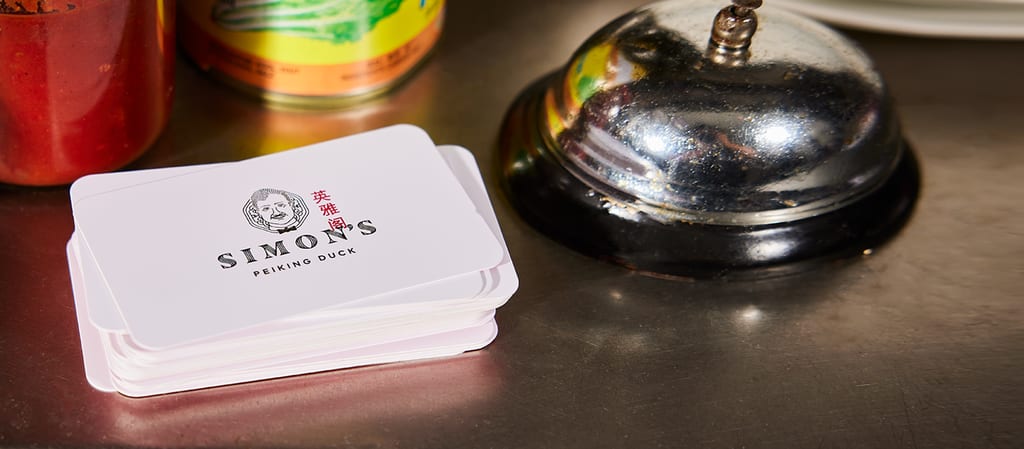
Rounded corner cards keep the familiar 3.5 x 2-inch dimensions but use a quarter-inch corner radius so you get a wallet-friendly card with a softer, more modern feel. This works well when your visual identity already uses curves. You can also combine rounded corners with a square format for a more unique business card design.
Mini business cards
Mini cards have a slim shape that stands out next to standard cards. They suit simple contact details, discount codes and product inserts, but every element has to earn its place.
Mini business card sizes aren’t standardized, so begin with your printer’s template. One common format is 3 x 1.18 inches (76.2 x 30 mm), or 900 x 354 pixels at 300 DPI. With a 0.06-inch margin on each edge, this format needs a 3.12 x 1.30-inch full-bleed file (936 x 390 pixels) and a 2.88 x 1.06-inch safe zone (864 x 318 pixels). Put supporting information on the reverse rather than shrinking your type and potentially impacting readability.
Still not sure which business card size is best for you? Explore more business card design ideas before choosing.

International business card sizes
If you meet customers or partners overseas, it’s worth checking which card size they’ll be used to receiving. International dimensions usually differ by only a few millimeters, but using a familiar regional format helps your card fit local wallets and cardholders. However, these are conventions rather than universal rules, so confirm the dimensions with your printer. Ordering separate versions of your business card can give translations and local details the room they need.
- United States and Canada: 88.9 x 50.8 mm (3.5 x 2 inches)
- UK and Europe: 85 x 55 mm (3.35 x 2.17 inches)
- Japan (Meishi): 91 x 55 mm (3.58 x 2.17 inches)
- Australia: 90 x 55 mm (3.54 x 2.17 inches)
- China: 90 x 54 mm (3.54 x 2.13 inches)
Design guidelines: bleed, trim and safe zones
Once you’ve chosen the finished dimensions, the next step is preparing the artwork around them. Bleed, trim and safe zone measurements describe three areas of the same print file, each helping your finished cards look clean and intentional.
Bleed area
The bleed is the area that extends beyond the finished edge and gets trimmed away. Any background color, photograph or pattern that should reach the edge of your card must continue through this area, preventing a thin white border if the cut shifts slightly. For a standard VistaPrint card, the full-bleed size is 3.61 x 2.11 inches (91.7 x 53.6 mm), or 1083 x 633 pixels at 300 DPI. Requirements vary, so always use the product template.

Trim size
The trim size is the final width and height of the card once the bleed has been removed. A standard US card trims to 3.5 x 2 inches (88.9 x 50.8 mm), or 1050 x 600 pixels at 300 DPI. The cut can shift slightly, so avoid thin borders that may look uneven.
Safe printing zone
The safe printing zone sits inside the trim line and is where important text, logos and QR codes should go. Standard VistaPrint business card safe zone dimensions are 3.36 x 1.86 inches (85.4 x 47.3 mm), or 1008 x 558 pixels at 300 DPI. Backgrounds can fill the bleed, but essential details should stay safe. Our business card layout guide can help you create a clear hierarchy.
| Format | Full bleed | Trim size | Safe printing area |
| Standard and rounded | 3.61 x 2.11 in / 1083 x 633 px | 3.5 x 2 in / 1050 x 600 px | 3.36 x 1.86 in / 1008 x 558 px |
| Square | 2.63 x 2.63 in / 788 x 788 px | 2.51 x 2.51 in / 752 x 752 px | 2.39 x 2.39 in / 717 x 717 px |
| Mini* | 3.12 x 1.30 in / 936 x 390 px | 3 x 1.18 in / 900 x 354 px | 2.88 x 1.06 in / 864 x 318 px |
*Mini specifications are based on a common 3 x 1.18-inch format with a 0.06-inch bleed and safe margin. Check your chosen printer’s template because mini formats vary.
How to set up business card artwork in design software
Setting up your digital canvas correctly before you begin designing prevents scaling issues later.
- Canva: Create a custom design sized at 3.61 x 2.11 inches to factor in the bleed area. Go to File, open “View settings,” and toggle on “Show print bleed” to manage your safe zones.
- Adobe Illustrator: Open a new document and set the artboard to 3.5 x 2 inches. Enter approximately 0.055 inches in the Bleed fields for all four edges, creating a full-bleed area of 3.61 x 2.11 inches. Set the color mode to CMYK and raster effects to 300 PPI.
- Adobe Photoshop: Create a 1083 x 633-pixel document (3.61 x 2.11 inches) at 300 DPI. Add guides 0.055 inches inside each outer edge to mark the trim line, then add guides 0.125 inches inside each outer edge to mark the safe printing area.

How paper weight affects thickness and stack height
Business card dimensions usually focus on width and height, but the thickness also affects how substantial a card feels and how much room a stack of them will take up.
Stock is often described in points, with one point equal to approximately 0.001 inch. Standard 14pt stock is flexible enough for everyday use, an 18pt card feels firmer, and 32pt ultra-thick stock is much more rigid. Bear in mind that thicker cards usually cost more.
As an estimate, 100 cards measure about 1.4 inches high at 14pt, 1.8 inches at 18pt, and 3.2 inches at 32pt. But coatings, manufacturing and compression can change the result.
When it comes to finishes, matte reduces glare, glossy can enhance photos, and uncoated stock is easier to write on.
For more design advice, read The ultimate guide to business card materials & finishes: from paper weight to premium effects for the pros and cons.

QR code and font size minimums
A QR code can turn the limited space on your card into a route to your menu, booking page, portfolio or digital business card. However, it still needs enough physical space to scan reliably, so make it at least 0.8 x 0.8 inches (20 x 20 mm) and keep it inside the safe zone.
Use a dark code on a plain, light background and preserve its clear quiet zone – don’t stretch, crop or cover it, and be sure to test the exported code on several phones at its final printed size and with the final destination URL.
Use at least 8pt for contact information where possible. Names and headings commonly work at 10–12pt or larger, but fine scripts, light weights and tight spacing can still be difficult to read, so judge the letterforms as well as the point size.
Print a paper proof at 100% scale. If similar characters are hard to distinguish, increase the size or simplify the typeface. See the best fonts for business cards for more advice.
Choose a business card size that fits your brand
The right business card size gives your information room to breathe while reflecting how you want customers to see your brand. Once you’ve chosen your format, following the correct print specifications will help you create a card that suits your brand and appeals to your customers.
Business card sizes and dimensions FAQs
What is the pixel size of a standard business card at 300 DPI?
A standard 3.5 x 2-inch US card is 1050 x 600 pixels at 300 DPI. With VistaPrint bleed, use 1083 x 633 pixels and keep any key content within 1008 x 558 pixels.
How do international business card sizes compare with US standards?
US and Canadian cards measure 88.9 x 50.8 mm. Common formats are 85 x 55 mm in the UK and Europe, 91 x 55 mm in Japan, 90 x 55 mm in Australia, and 90 x 54 mm in China.
What is the difference between bleed, trim and safe zone?
Bleed is the outer area removed after printing, trim is where the card is cut to size and the safe zone protects essential text, logos and QR codes from being clipped.
What is the minimum printable size for a QR code?
Use a QR code of at least 0.8 x 0.8 inches (20 x 20 mm). Preserve its quiet zone and test it at actual size on several phones before printing.
What is the standard font size for a business card?
There’s no single standard because typefaces differ, but 8pt is a practical minimum for contact details. Names and headings often work at 10–12pt or larger. Avoid thin or decorative fonts for essential information.

