
The best digital business card examples turn a quick introduction into an easy next step that connects you with new clients. With one scan or tap, a potential customer can save your details, view your work, request a quote or book a meeting, while the colors, imagery and tone reinforce who you are and what your business offers.
Also called electronic or virtual business cards, these mobile-friendly profiles bring your contact information, links and calls to action (CTAs) together in one place. Their real value comes from making those elements easy to find and act on, so a strong design needs clear visual hierarchy with memorable, consistent branding.
- High-converting digital cards use a clear vertical hierarchy designed for easy, one-thumb mobile navigation.
- Industry-specific profiles work best with relevant CTAs like booking links for real estate agents and portfolio galleries for designers.
- A phygital strategy combines a tactile printed card with a QR code that connects in-person introductions to online actions.
- Current digital business card design trends include dark color schemes, subtle motion, brand-led color blocking and live social activity.
- Metrics like profile visits, contact saves and CTA clicks can help you understand which networking activities generate interest.

Anatomy of a high-converting digital business card profile
Because most people will open your card on a phone, use a single vertical page with the most useful information near the top. Choose one main visitor action, then build the profile around it.
1. Visual header and headshot or logo
Begin with a sharp, well-lit headshot if you’re the face of the business, or use a clear logo if customers recognize the brand rather than a spokesperson. A simple banner can add personality without competing with your name, so apply the core business card design rules to its composition and spacing.
2. Name, role and value statement
Place your name, business name and role below the image, followed by one sentence explaining what you do and who you help. “Family photographer creating relaxed portraits across Austin,” for example, is more useful than “Photographer.” Include the essential contact details, but keep private information off a public profile.
3. Primary CTA
Make your main CTA a prominent, full-width button with a specific label, such as “Book a discovery call,” “Request a free estimate” or “View available properties.” Use readable type and strong contrast, and use these business card font ideas to help you choose a typeface that also works in print.

4. One-tap contact save
Add a clearly labeled “Save contact” button that downloads a standard vCard file containing relevant details, including your work email, business phone number, website and office address.
5. Social, booking and portfolio links
Arrange secondary links under the main buttons, using familiar icons and clear labels. Include only active channels that support the customer journey, then explore these business card customization tips for more ways to adapt the design.
6. Social proof and media
Finish with one or two trust-building elements, for example, a testimonial, recent rating, introductory video or small project gallery. Keep media lightweight and give visitors control over the playback.
Real-world digital business card examples by industry
The same basic structure can support very different customer journeys, which is why the strongest profiles prioritize the action that matters most in their field. Use the examples below as practical layout models, then browse more business card design inspiration to develop your visual direction.
Real estate professionals
- Ideal industry: Real estate agents, mortgage brokers and property managers.
- Purpose: Lead capture and instant property tours
- Primary CTA: “Schedule a home tour”
- Key profile feature: Current listing links, short property videos and direct call or text buttons
A real estate profile can open with a friendly agent headshot, brokerage details and a brief local value statement, for example, “Helping first-time buyers find homes in North Dallas.” The main button should connect to a current booking calendar, while a secondary section can highlight a few active listings or a short property tour.
Keep listings current and avoid loading the profile with every property you represent. It’s usually more useful to link to a regularly updated listings page and then offer direct call and text options for buyers who are ready to ask a question. Mortgage brokers can use the same structure, replacing property content with a consultation link and a short explanation of the buyers they support.
Creative freelancers and designers
- Ideal industry: Graphic designers, photographers, illustrators and copywriters
- Purpose: Visual portfolio and quote requests
- Primary CTA: “View my portfolio” or “Request a project quote”
- Key profile feature: Curated work samples, client testimonials and a concise services guide
For a creative professional, the profile itself becomes a sample of the work, so a strong cover image and a small, carefully edited portfolio matter more than a long biography. Lead with your specialty, then let visitors view your most relevant projects before inviting them to complete a short inquiry form.
Rather than embedding a busy social feed, select three to six examples that represent the projects you want to win next. You might also link to a downloadable services guide, but make sure prices and availability are current. If you need original visual assets, 99designs by Vista connects businesses with professional designers who can develop logos and other brand materials.

Corporate B2B sales
- Ideal industry: Account executives, consultants and agency leads
- Purpose: CRM sync and pitch deck distribution
- Primary CTA: “Book a 15-minute discovery call”
- Key profile feature: Contact save, calendar link, LinkedIn profile and concise sales materials
A B2B profile should feel focused and credible, with a professional photo, clear role and short statement of the business problem you solve. Place the meeting link near the top, then add a contact-save button and a relevant case study or short pitch deck for prospects who want more context.
Some digital card platforms can connect with customer relationship management (CRM) tools, but the integrations that are available can vary, so check how information is captured before promising an automatic sync. If you include a PDF, optimize it for a phone screen and keep the file small enough to open quickly on mobile data.
Local trades and home services
- Ideal industry: Electricians, plumbers, contractors, landscapers and mobile service providers
- Purpose: Click-to-dial and emergency dispatch
- Primary CTA: “Call now for emergency service” or “Request a free estimate”
- Key profile feature: Tap-to-call button, service-area map, opening hours and recent ratings
Customers looking for a local trade often want help quickly, so the phone button should appear before galleries, social links or a company history. State your service area and hours clearly, and specify whether emergency or after-hours service is available instead of making visitors search for that information.
Below the main CTA, include a quote-request form for less urgent work, along with a small project gallery and a link to verified reviews. This layout can also work for cleaners, pet groomers and mobile beauty professionals, although the primary CTA may change from an emergency call to an appointment booking.
The phygital hybrid strategy: Combining print cards with digital landing pages
A printed card gives an in-person exchange a physical focal point, and its QR code gives your potential customers a fast route to your online profile without asking someone to type out a URL. This combination is often called “phygital,” because the two formats work together. Printed cards are also easy to exchange and can express brand quality through paper, color and finish, which helps explain the importance of business cards alongside digital tools.
When adding a QR code to custom printed business cards, follow these practical guidelines:
- Leave an uncluttered “quiet zone” around all four sides of the code. The required space is based on the QR code’s module size rather than a universal measurement in inches, so follow the generator’s specifications and don’t place text or graphics inside that margin.
- Add a short instruction that explains the benefit, such as “Scan to save my details and view recent work.”
- Keep strong contrast between the code and its background, then test a printed proof with several phones before ordering a large quantity.
- Point the code to a URL you control or can update, so the printed card doesn’t become obsolete when a destination changes.
- Choose a premium business card paper stock that supports your brand, but prioritize reliable scanning over decoration around the code. Matte and uncoated areas generally avoid the reflections that highly glossy surfaces can create, although every finished design should still be tested under different lighting.
Explore more creative QR code strategies, then compare the best types of business cards, since the available space and finish will affect your layout.

Emerging design trends shaping electronic business cards
The future of business card technology is ever-evolving, and electronic business cards increasingly resemble compact branded websites, but trends should still support readability and action.
Minimal dark color schemes
Dark backgrounds with light text can feel polished, especially for creative and technology brands. However, test the contrast, type size and buttons rather than assuming dark mode is readable for everyone.
Purposeful micro-animations
Subtle motion can draw attention to a primary button, but it shouldn’t distract from your contact details. Avoid flashing effects, autoplay video and constant movement, and accommodate visitors who prefer reduced motion.
Brand-matched color blocking
Using the same palette across your profile, printed card and marketing helps people recognize your brand. Review the latest business card design trends, then choose strategic business card colors that also have sufficient contrast when viewed on mobile.
Current social proof
Current ratings and verified badges on your social channels can build confidence when they come from a trustworthy source. If a live widget slows the page, use a brief testimonial linked to the original review.

How to track performance and optimize your digital card
Digital profiles can make networking more measurable if your card platform or website analytics records the relevant actions that you want to track. Establish a baseline, change one element at a time, and compare similar events or periods to see what works and what doesn’t.
- Profile visits or QR scans: Use an analytics-enabled QR service or campaign-tagged URL to distinguish traffic from a conference, storefront or mailer. Comparing visits with the approximate number of cards distributed gives you an estimated scan rate.
- Contact-save rate: If your platform records clicks on the “Save contact” button, divide those clicks by profile visits to see how often visitors take this step.
- CTA click-through rate: Compare clicks on booking, calling, portfolio and quote buttons to see which next step attracts the most interest.
- Completed actions: Where possible, track appointment confirmations, form submissions or calls, because a button click alone does not show whether the visitor became a lead or customer.
Use separate, consistently labeled URLs for different events or materials to compare your offline business card marketing strategies. Because analytics, consent settings and privacy rules can affect the data, treat results as indicators rather than a complete record.

Essential privacy and security considerations for digital networking
A digital card can travel beyond its original recipient, so only publish information you’re comfortable making broadly available. Use business contact details where appropriate, while keeping your home address, personal number and other sensitive data off the page.
For one-to-one sharing, choose a platform with suitable visibility controls. A noindex setting can keep a page out of search results, but it doesn’t make the URL private – use protected access for genuinely restricted information.
Use the standard .vcf vCard format and test downloads on Apple and Android devices. Check that the page uses HTTPS, review the provider’s data practices and keep linked files free from confidential information. VistaPrint’s guide to digital business card landing pages offers further creation and sharing advice, but always review your chosen platform’s privacy options.
Turn every introduction into an easier next step
An effective digital card needs a clear identity, useful contact information and one obvious action, rather than every available feature. Pairing that focused profile with a printed card and scannable QR code makes in-person networking memorable while giving new contacts an easy next step.
Frequently asked questions about digital business cards
What should be on a digital business card?
A digital card should include your name, role, business details and a short value statement. Add a contact-save button, one primary CTA and a few useful links.
How do digital business cards work?
It works as a mobile page or wallet pass containing contact details and links. The recipient opens it from a URL, QR code, message or compatible NFC product.
Do you need an app to open or scan a digital business card?
Usually, no. URL-based cards open in a browser, while many smartphones scan QR codes through the built-in camera.
What is the best layout for a digital business card profile?
Use a vertical page with your image, name, value statement, main CTA and contact-save button near the top. Place secondary content below in order of importance.
How do NFC taps and QR codes connect to digital business cards?
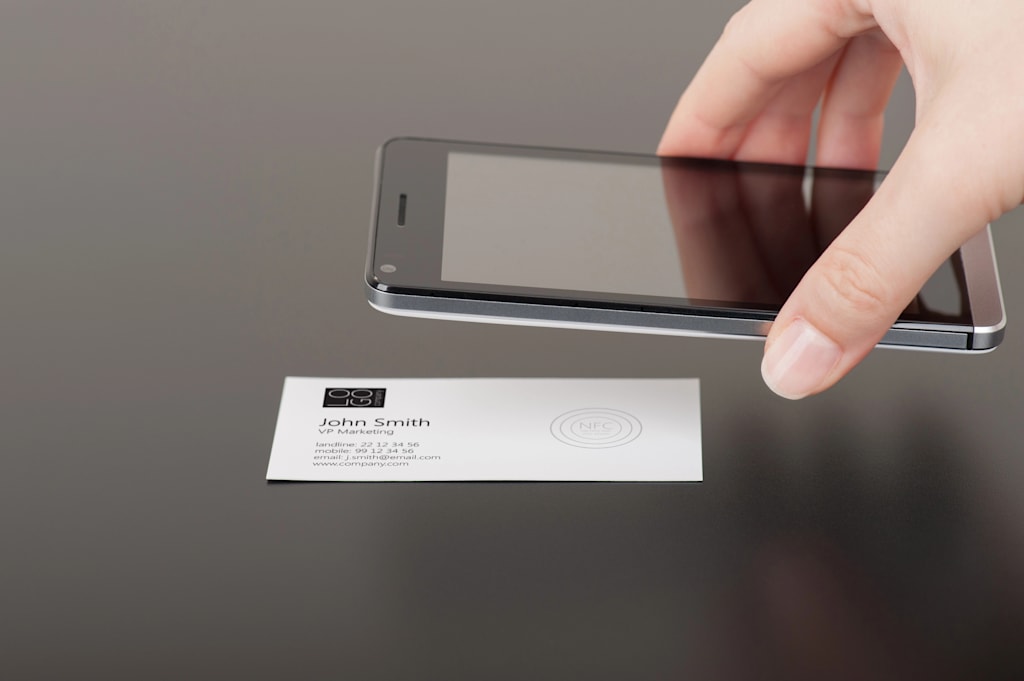
A phone camera reads the link in a QR code, while a compatible phone receives an NFC link at close range. Either can open the same profile.
How do you track clicks and contact saves on a digital business card?
Use a service that records visits and button events. Campaign tags can identify traffic sources, while event tracking measures contact saves, booking clicks and form submissions.
Are digital business cards safe to share?
They can be safe on a reputable platform with HTTPS, but public details may be copied or forwarded. Avoid sensitive data and review the privacy settings.
Should I replace printed business cards entirely with digital cards?
Not necessarily. Print acts as a tangible reminder, while a digital profile makes it simpler to save and respond, so the two formats can work better together.

