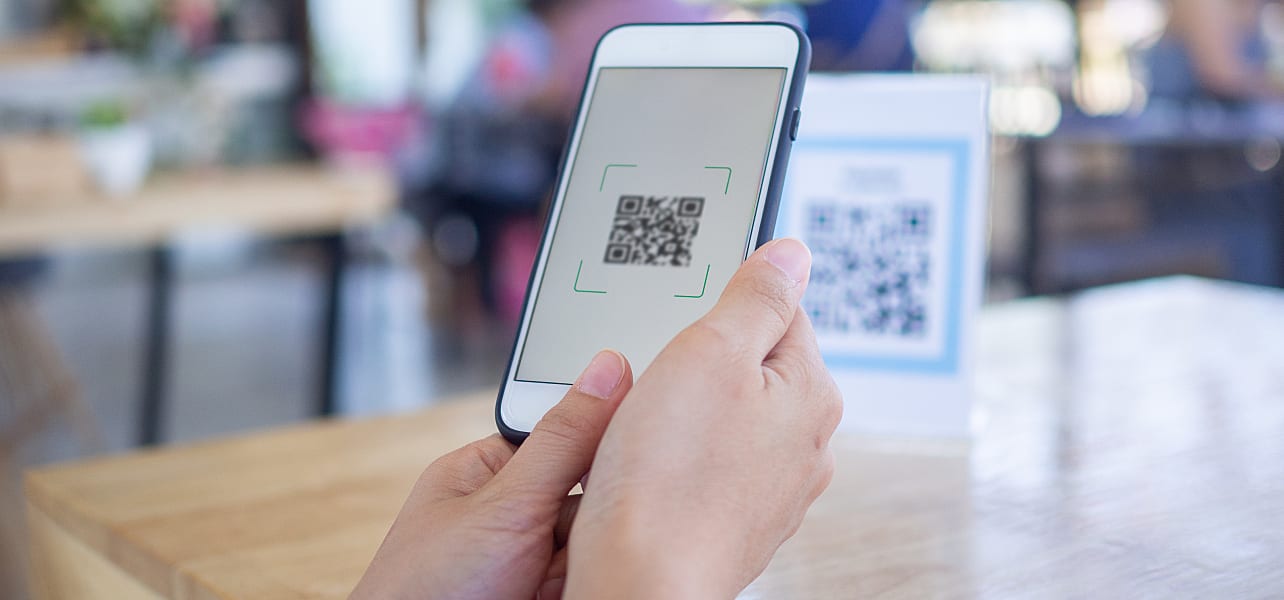
The difference between a good event and a great one often comes down to what happens after the conversation. Event QR codes make that next step immediate, giving attendees a simple way to act while their interest is still there.
This guide explains how to make QR codes an effective part of your event marketing. You’ll learn how to set up event QR codes, apply QR code best practices that get people to scan and use QR code tracking to measure what’s working.
- Event QR codes connect in-person interactions with digital actions by letting attendees scan a code that leads to a form, page or offer you can track and follow up on.
- They help capture leads instantly, boost event attendee engagement and make every interaction measurable through QR code tracking.
- You can place QR codes on business cards, flyers, posters, booth signage, packaging and other event materials people already engage with.
- To create an event QR code, define your goal, choose the right destination, generate the code, customize it and test it before use.
- To get more scans, offer clear value, keep it mobile-friendly and prompt action in the moment.
What are event QR codes and why do they work so well at events?
Event QR codes are scannable codes used at in-person events to connect attendees with digital content or actions in seconds. They act as a bridge between a physical interaction and a trackable online experience, whether that’s filling out a form, viewing a product demo or booking a follow-up.
Here’s how they work in practice:
- An attendee scans the code using their phone camera
- They’re instantly directed to a specific destination, such as a landing page or form
- Their action can be captured, tracked and followed up on
That speed is the whole point. Traditional tactics like business cards or brochures depend on attendees taking the next step later, typing in a URL, sending an email or saving your contact. In reality, most of those actions never happen. Event QR codes remove that extra step by letting people act on the spot, while your conversation is still fresh, turning initial interest into a recorded interaction you can follow up on.
How event QR codes enhance customer connections
At most events, the biggest challenge isn’t starting conversations but holding onto them once the moment passes. Most event conversations end with “we’ll follow up” and go nowhere.

Event QR codes fix that by giving attendees a clear next step while you still have their attention, and giving you something concrete to work with after the event.
- Capture leads while interest is fresh: A quick scan of an event QR code opens a form that feeds directly into your CRM. Instead of sorting through business cards later (some of which will inevitably go missing) or trying to recall who showed genuine interest, you capture accurate details on the spot.
- Move attendees to the next step immediately: A scan takes event visitors straight to your demo, pricing page or booking calendar. They get the information they need right away, while your conversation is still fresh, instead of having to look you up later.
- Keep engagement going after the event: A QR code can lead to polls, giveaways or exclusive content that gives people a reason to interact with your brand again. These follow-up touchpoints keep you relevant after the event instead of fading into the background.
- Track interest as it happens: With QR code tracking, each scan shows what people engaged with and when. As you get a clear view of what drew attention, you can adjust your approach based on real data.
How to use event QR codes in different event types
Event QR codes work because they fit into how events already run. The way you use them at a trade show won’t look the same as at a pop-up or a conference.
Each format comes with its own pace and expectations, so your QR code setup should match how people move, browse and engage in that setting.
Trade shows and exhibitions

Trade shows are crowded, fast-moving and competitive. Often, you’re working with limited time, high foot traffic and a lot of noise from nearby booths.
Event QR codes help you drive booth engagement and capture interest while it’s still there:
- Add codes next to products to launch short demos or highlight key features
- Use QR-powered forms to capture leads directly into your CRM
- Place codes on banners or counters so visitors can engage even when your team is busy
This setup makes it easier for people to explore your offer on their own terms, while still giving you a clear record of who engaged.
Placement matters as much as design, so pair your QR codes with clear messaging. If you’re refining your setup, these trade show booth ideas are worth a look.
Local business events and pop-ups
Pop-ups and small business events are more personal but just as time-sensitive. You’re still handling conversations, sales and promotions all at once.
QR codes keep things moving:
- Share instant discounts or limited-time offers
- Let customers join loyalty programs on the spot
- Collect emails without interrupting the interaction
They’re especially useful when connecting with customers at small business events, where simplicity drives better event attendee engagement.
Conferences and corporate events
Conferences are structured around content and networking. Attendees move quickly between sessions, often with limited time to follow up.
Event QR codes for this event format keep information accessible:
- Share speaker slides, reports or supporting content
- Enable quick contact exchange during networking
- Collect session feedback while it’s still relevant
Use QR codes to support broader engagement plans. These corporate event ideas can help you design more interactive formats.
Product launches and brand activations

Finally, launches and activations are built around momentum and exclusivity. Their goal is to create interest and keep people engaged in the moment.
QR codes help extend that experience:
- Offer early access or limited drops
- Unlock exclusive content or behind-the-scenes material
- Provide VIP perks tied to signups
What information can you put into an event QR code
Once you’ve decided to use event QR codes, the real decision is what happens after the scan. And considering how flexible QR codes are by design, the options are truly numerous.
The most common ones are:
- URLs to landing pages, forms or product pages
- Contact details, such as digital business cards
- Wi-Fi access for quick network connection
- Event schedules or session details
- Discount codes or limited-time offers
- App downloads
- Social media profiles
- Calendar invites for follow-ups or sessions

While you can link your QR code to almost anything (as long as it aligns with your business and supports your event goals), not every destination performs well in an event setting. Lead capture forms, booking pages, product pages and email signup offers tend to deliver stronger results because they meet attendees where they are and make the next step obvious.
To choose the right setup for your event QR codes, start with one question: “What should the attendee do next?”
From there, match the QR code destination to that action and the context of the interaction. A quick booth chat calls for a different follow-up than a product demo or a keynote session. Keep the path short, the value clear and the action easy to complete.
Static vs dynamic QR codes: What small businesses need to know
Before you create your event QR codes, there’s one key decision to make: static or dynamic.
- A static QR code links to a fixed destination. Once it’s printed, you can’t change where it leads.
- A dynamic QR code, on the other hand, lets you update the destination anytime without reprinting the code. It also unlocks QR code tracking, so you can see how people interact with it.
Here’s how they compare:
| Static QR codes | Dynamic QR codes | |
|---|---|---|
| Pros | Free to create, simple to use | Editable links, QR code tracking, flexible |
| Cons | No edits after printing, no tracking | May require a paid tool |
| Best for | One-time use, fixed information | Events, campaigns, evolving content |
For most small businesses, dynamic QR codes are the better choice for events. They give you room to adjust your messaging, fix mistakes or swap out links based on what’s working. More importantly, they show you what actually drives engagement.
How to create a QR code for an event (step-by-step)
A QR code on its own won’t do much. What matters is how you build it, where you send people and how it fits into the moment. Here’s how to create effective QR codes for events, step by step.
Step 1: Define your goal
If you can’t clearly explain why you’re using event QR codes in the first place, they probably won’t perform as expected… Or, worse, may lead nowhere useful.

Source: Trade show poster design with a QR code by Sezt via 99designs by Vista
So before you generate anything, take a minute to decide what you actually want your QR code to achieve.
Most use cases fall into one of three categories:
- Lead capture: Collect contact details, book calls or build your pipeline
- Information sharing: Send people to product pages, pricing or key resources
- Engagement: Drive interaction through polls, giveaways or exclusive content
Choose one primary goal and build around it.
Step 2: Create your destination
The goal you choose directly shapes what happens after someone scans your event QR code. If there’s a mismatch, the experience breaks down quickly and people drop off.
Depending on your business and the event format, you might link to:
- Landing page: Ideal for service businesses showcasing offers, case studies or key benefits
- Lead capture form: Useful for consultants, agencies or B2B brands focused on collecting qualified contacts
- Booking page: Works well for demos, consultations or follow-ups, especially in service-based industries
- Product page: A good fit for ecommerce or product-led brands highlighting specific items
- Offer or promo page: Effective for retail, hospitality or local businesses running event-specific deals
Whichever option you choose, it should match how someone interacts with you at the event. For instance, a quick chat calls for a shorter path, while a product demo can support more detail.

Source: Roll-up banner design with a QR code by Sezt via 99designs by Vista
Make sure your destination is built for mobile. If the page is slow, cluttered or hard to navigate on a phone, you’ll lose people before they take action.
Linking QR codes to calendars (Google, Apple, Outlook)
Most QR code destinations are simple links. You copy the URL and connect it to your code. But if you want to send attendees straight to a demo call, webinar or scheduled session, there’s one extra step.
You’ll need to create and share a calendar link:
- Google Calendar: Create an event → copy the share link → connect it to your QR code
- Apple Calendar: Export the event as an .ics file → link it → generate your code
- Outlook: Use the share option → copy the event link → attach it to your code
Step 3: Generate the QR code
When you know where you want to lead event attendees, or at least have a rough idea if you’re using dynamic QR codes and want some flexibility, the next step is turning that link into a QR code.
And don’t worry, as important as it sounds, this is one of the easiest parts of the process. There are plenty of tools that handle it in seconds.
Free QR code generators
Free QR code generators are the fastest way to get started. You paste your link, generate the code and download it. They’re quick and cost nothing, which makes them appealing for simple use cases. The trade-off is that you usually won’t get QR code tracking, editing options or branding features, so once the code is created, you’re locked in.
Event platforms built-in generators
Event platforms like Eventbrite or Cvent include QR codes as part of a broader event system. They work well when you’re already managing registrations or attendees on the platform, with built-in tracking and data integration. The downside is less flexibility, especially if you want to use the same code across different assets or outside the platform.
Design tools
Design tools like VistaCreate let you generate a QR code while creating your event materials. You can place it directly into flyers, signage or business cards without switching between tools, which saves time and keeps your layout consistent. The trade-off is that features like QR code tracking or the ability to update links later may be limited compared to dedicated QR solutions.

If you’re printing event materials, the VistaPrint editor includes a built-in QR code generator, so you can create and position your code in one place without switching tools.
Step 4: Customize and brand your code
Like any other event marketing asset, your QR code should reflect your brand. At the same time, it still needs to do its job first and foremost – scan quickly and without friction.
The goal is to balance the two.
Start with the basics: add your logo, adjust colors and align it with your visual style.

Then make sure those choices don’t get in the way of usability:
- Size: At least 2×2 cm for print, larger for signage or anything viewed from a distance
- Contrast: Dark code on a light background works best; avoid low-contrast combinations
- Quiet zone: Leave a clear margin around the code so scanners can detect it without interference
If in doubt, simplify. Clean, readable codes perform better, especially in busy event settings where people scan on the move.
Step 5: Test before printing
Even if your QR code and the design around it look spot on, don’t assume it’ll perform the same in real conditions. At events, codes end up on banners, flyers, tablecloths and packaging, often in bright light or crowded spaces.

To make sure it still works as intended, test it before printing and again once it’s applied to the final material. Try different devices, angles and lighting to see how it performs.
Matte finishes reduce glare and improve scan rates, while glossy surfaces can reflect light and interfere with scanning. Avoid placing codes on curved or uneven surfaces, as distortion can make them harder to read.
Where to place QR codes for maximum scans
No matter how well-designed your QR code is, it won’t get scanned if people don’t see it or don’t think to use it. Placement is what turns a functional code into something people actually engage with.
Source: Pull-up banner design with a QR code by SWallDesign via 99designs by Vista
The key is to add QR codes to assets people already interact with during and after the event:
- Business cards: Add a QR code that links to your booking page or portfolio so the next step is immediate.
- Flyers and brochures: Direct readers to more detailed content without overcrowding the design.
- Posters and banners: Capture attention from a distance and give people a way to engage on the spot.
- Table tents: Ideal for seated environments like networking areas or hospitality setups.
- Booth signage: Let visitors explore your offer even when your team is busy.
- Product packaging: Connect physical products to demos, instructions or upsells.
- Event badges: Useful for networking or quick contact sharing.
- Receipts or takeaway materials: Extend the interaction after the event with offers or follow-ups.

Once you’ve chosen the right assets, placement on those assets matters just as much.
First, you need to make sure you keep them at eye level. People are far more likely to notice and scan something that sits within their natural line of sight. A code placed too low on a banner or too high on signage often gets ignored.
Next, it’s vital you avoid clutter. If the code is surrounded by too much text or visual noise, it’s easy to miss or harder for cameras to detect. Give it enough space so it stands out and scans quickly.

How to get attendees to actually scan your QR code
When making QR codes a part of your event marketing strategy, you need to remember that people scan when there’s a clear reason to do it right now.
To get as many cameras on your event QR code, give visitors something worth the few seconds it takes:
- Offer a clear payoff: A discount, exclusive content, early access or entry into a giveaway. “Scan for our full catalog” is easy to ignore. “Scan for 15% off today” isn’t.
- Make the next step obvious: Use direct, outcome-focused prompts like “Scan to book a demo” or “Scan to get the offer.” People should know exactly what happens before they pull out their phone.
- Keep it fast and mobile-friendly: If the page takes too long to load or asks for too much, people drop off. Short forms and quick-loading pages make a noticeable difference.
- Prompt it in the moment: Your team can mention it during conversations, or you can reinforce it with signage. A quick “you can scan here to get this” often does more than the code itself.
How to connect QR codes to lead capture and CRM systems
Scanning is only useful if the data goes somewhere.
If you’re focused on lead capture, link your QR code to a short form or landing page built for it (keep it simple so people actually complete it). Once submitted, that data should go straight into your system without manual input.
From there, connect it to your CRM or email tool. Most platforms support direct integrations, so new contacts can trigger follow-ups or be added to your pipeline automatically.
How to measure success: QR code tracking and event ROI
The ability to track what happens after the scan is where event QR codes pull ahead of traditional event marketing. Instead of guessing what worked, you can see it. More importantly, you can use that data to adjust your messaging, placement and follow-up while it still matters.
To get useful insights, focus on a few key metrics:
- Scans: Show which assets and placements attracted attention
- Conversions: Reveal whether people followed through after scanning
- Engagement by location and time: Helps you understand when and where interest peaked during the event
From there, ROI becomes much easier to evaluate. Compare the number of leads generated through your QR codes with the total cost of the event. If the numbers make sense, you have a setup worth repeating. If not, you know exactly where to adjust next time.
Ready to use event QR codes to connect with more customers?
At events, timing is everything. You’ve only got a short window to turn a conversation into something that sticks.
Luckily, event QR codes help you capture that moment and guide people to the next step while it still makes sense. When people know what they’ll get and the process feels easy, you see stronger event attendee engagement, cleaner lead capture and results you can actually measure.
To make QR codes part of your event marketing, start simple and pay attention to what people respond to. Small changes in placement, messaging or destination can shift results from one event to the next, especially with dynamic QR codes.
And the best part is that generating event QR codes has never been easier. If you’re getting your materials ready, VistaPrint’s built-in QR code generator makes it easy to create and add codes directly to your designs.
Event QR code FAQs
Do attendees need a special app to scan event QR codes?
No. Most modern smartphones scan QR codes directly through the built-in camera app. On older devices, a free scanner app may be needed, but that’s becoming rare.
Can I update my QR code after it’s been printed?
Only if you’re using dynamic QR codes. Static codes are fixed, so any change requires reprinting.
What should I do if my QR code isn’t getting scans at an event?
Check visibility first, then the offer. Move the code to eye level, simplify the message around it and make the value clearer or more immediate.
What printing mistakes can make a QR code stop working?
Common issues include low contrast, glossy finishes causing glare, resizing the code too small and placing it on curved or textured surfaces that distort the pattern.

